
Git Contribution
One contribution graph for the git providers you actually use.
Add GitHub, GitLab, Bitbucket, Gitea, or SourceForge profiles, then keep a clean activity heatmap in the companion app and on your home screen.

Screenshots
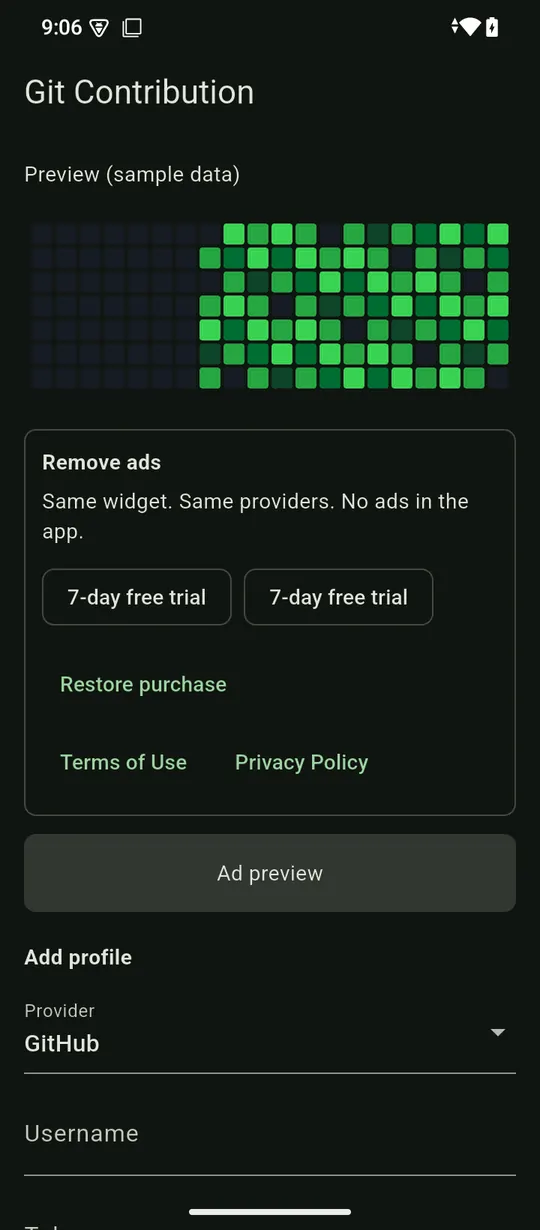
What Git Contribution does
- Add GitHub, GitLab, Bitbucket, Gitea, and SourceForge profiles, including your own Gitea or GitLab server.
- Merge provider activity into one contribution heatmap.
- Publish the graph to a home-screen widget.
- Keep saved profiles available from local storage.
- Free users get every provider and graph feature, with ads in the app. Premium removes ads and nothing else.
- No provider, graph, or widget feature is gated behind Premium.
- Report a problem or send an idea at trei.dev/feedback.
Common questions
Is Git Contribution free?
Yes. The widget, every provider and the combined graph are free, with ads inside the app screens. Premium removes ads and nothing else.
Where do ads appear?
Free users may see ads inside the Git Contribution app. Ads never appear on the home-screen widget.
What does Premium cost?
Premium is a one-time purchase called Remove ads, bought through Google Play or the App Store. The store shows the price before you pay, and there is nothing to renew.
How do I get Premium back on a new phone?
Sign in to the same Google or Apple account, open Git Contribution and tap Restore purchase.
Which git providers does it support?
GitHub, GitLab, Bitbucket, Gitea and SourceForge. For Gitea or GitLab you can enter the address of your own server.
Do I need an account or a token?
No account is needed. A public GitHub profile needs only a username. Add an access token only if you want private or self-hosted activity counted; the token is saved on your phone and sent only to that host.
Page facts last checked on 18 October 2026 against the Git Contribution app and its Google Play listing.