


Why SMS tracking works in India
Almost every Indian bank and UPI app sends a transaction SMS - SBI, HDFC, ICICI, Axis, Kotak, PhonePe, Paytm, GPay. An SMS expense tracker reads these messages locally and creates expense entries automatically. No manual entry, no bank login, no third-party servers holding your financial data.
The result: your spending is logged the moment it happens, without you lifting a finger after the initial setup.
What to look for before granting SMS permission
Not all SMS trackers are equal. Before installing any app that requests READ_SMS, check for these:
- SMS read permission only - the app should not ask for contacts, call logs, or location. Those permissions have no role in reading transaction messages.
- Local on-device processing - your transaction data should not leave the phone. Check the privacy policy explicitly for whether SMS content is uploaded to a remote server.
- No bank login required - never give any app your net banking username or password. A legitimate SMS tracker needs only READ_SMS, nothing else.
- Clean UI without loan advertisements - several trackers are front-ends for lending products. If the app pushes personal loans or credit lines on the home screen, that is the real business model.
Rule of thumb: If an app asks for your bank login "to fetch transactions directly," walk away. READ_SMS is the only permission a genuine SMS-based tracker needs.
App comparison - 2026
| App | Pros | Cons | Best for |
|---|---|---|---|
| Walnut (now Axio) | Feature-rich, accurate categorization, bill reminders | Pushes loans and credit lines heavily; requires account creation | Users who want credit features alongside tracking |
| Money View | Auto-reads SMS, good budget planning tools | Heavy on loan notifications; pushes personal loans | Users also exploring personal loans |
| Spendee | Beautiful interface, shared wallets | Best features are paid; manual entry if no bank sync | Design-focused users willing to pay |
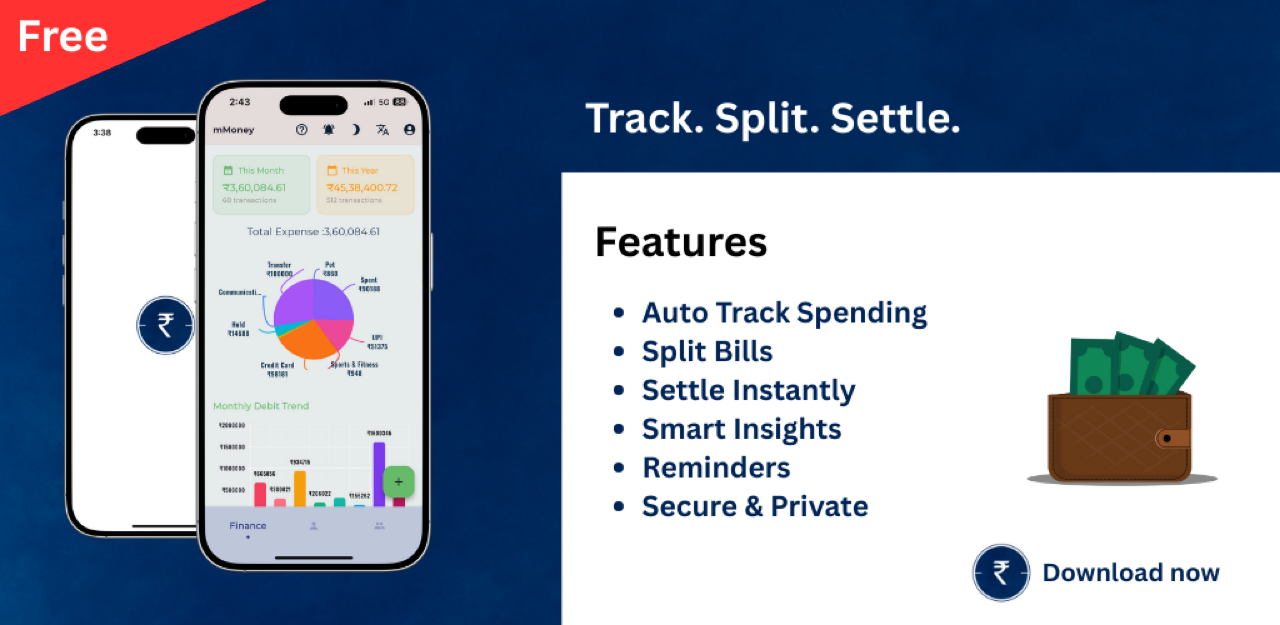
| mMoney | 100% local SMS processing, no account needed, free, includes HRA rent receipt generator | Fewer automatic categorization rules out-of-the-box compared to Walnut | Privacy-conscious users who want tracking + HRA receipts in one app |
How mMoney reads SMS safely
Here is what happens step by step when mMoney processes your transaction messages:
- The app requests READ_SMS permission on first launch - the standard Android permission dialog, nothing additional.
- On grant, it scans the inbox locally on the device for transaction keywords: debited, credited, UPI, INR, and common bank sender IDs.
- It extracts the amount and merchant name from each matching message and creates an expense entry.
- Nothing is uploaded to any server. All processing stays on-device. No cloud account is required or created.
Supported banks and UPI apps include SBI, HDFC, ICICI, Axis, Kotak, PhonePe, Paytm, and GPay. The parser runs against your local SMS inbox - if your bank sends a standard debit/credit message, mMoney will pick it up.
Also in mMoney: The same app generates HRA-compliant rent receipt PDFs for submitting to HR - useful during ITR season. Read the rent receipt generator guide for the full workflow.
Download mMoney
mMoney is free on Android and iOS. All features - including SMS tracking and HRA receipt generation - are available at no cost. A premium plan removes ads.
FAQ
Is it safe to give an app SMS read permission?
Yes, if the app processes SMS locally on-device and does not upload your financial data to a remote server. Check the privacy policy for how SMS data is handled before granting permission.
Do SMS expense trackers need my bank login?
No. A legitimate SMS expense tracker only needs READ_SMS permission to read transaction messages. Never give any app your net banking username or password.
Which banks does mMoney support for SMS tracking?
mMoney reads SMS from major Indian banks and UPI apps including SBI, HDFC, ICICI, Axis, Kotak, PhonePe, Paytm, and GPay.
Is mMoney free?
Yes. All features including SMS tracking are free. A premium plan removes ads.
Found a mistake or outdated information? If something here is wrong or no longer accurate, email contact@trei.dev with the correction and a source. We review and update within a few days.