
How to answer Naukri screening questions
Many Naukri jobs ask a few questions when you press Apply. Your answers go to the recruiter with your application. Here is how to answer the common ones, and how to save your answers so you do not type them again.
Three rules
- Tell the truth. A recruiter checks these answers against your resume and your first call. A wrong answer costs more than a skipped job.
- Answer in the form the question asks for. If it shows an example, copy the shape of the example.
- Keep answers the same everywhere. Your notice period and pay should match across every job you apply to.
The common questions
Notice period
Give the real number. If the question asks for days, answer in days. If it offers choices such as 15 days, 30 days or 60 days, pick the one that fits. If you are serving notice, say so and give your last working day when asked.
Current CTC and expected CTC
CTC is your yearly pay. Questions ask for it in different shapes. "In LPA" or "in lakhs" wants a number such as 7 or 7.5. A question with an example like 700000 wants the full number in rupees. Read the example before you type.
Years of experience with a skill
Answer with a number. Count only the years you worked with that skill, not your whole career. If you have never used it, the honest answer is 0.
Location and relocation
Say where you live now. Say yes to relocation only if you would really move for that job.
Yes or no questions
These check a requirement, such as a degree, a shift or a background check. Answer the question that is asked. A "how many years" question never wants a yes or a no.
Why this role
Two or three plain sentences. Name the work from your resume that matches the job. Leave out anything you cannot explain in an interview.
Save your answers once
Most of these questions repeat. Keep your answers in one note: notice period in days, last working day, current and expected CTC in both shapes, and years for each skill on your resume. Copy from the note so every application says the same thing.
Your details and saved answers in JobBot: Auto Apply
JobBot: Auto Apply is our Mac app that applies on Naukri from your own account. It answers from you, in two places.
- Your details. Fill in your notice period or last working day, current and expected pay, skills and years, location, links, and common yes or no answers once, on the Your details screen. JobBot uses them whenever a form asks. Nothing is built in.
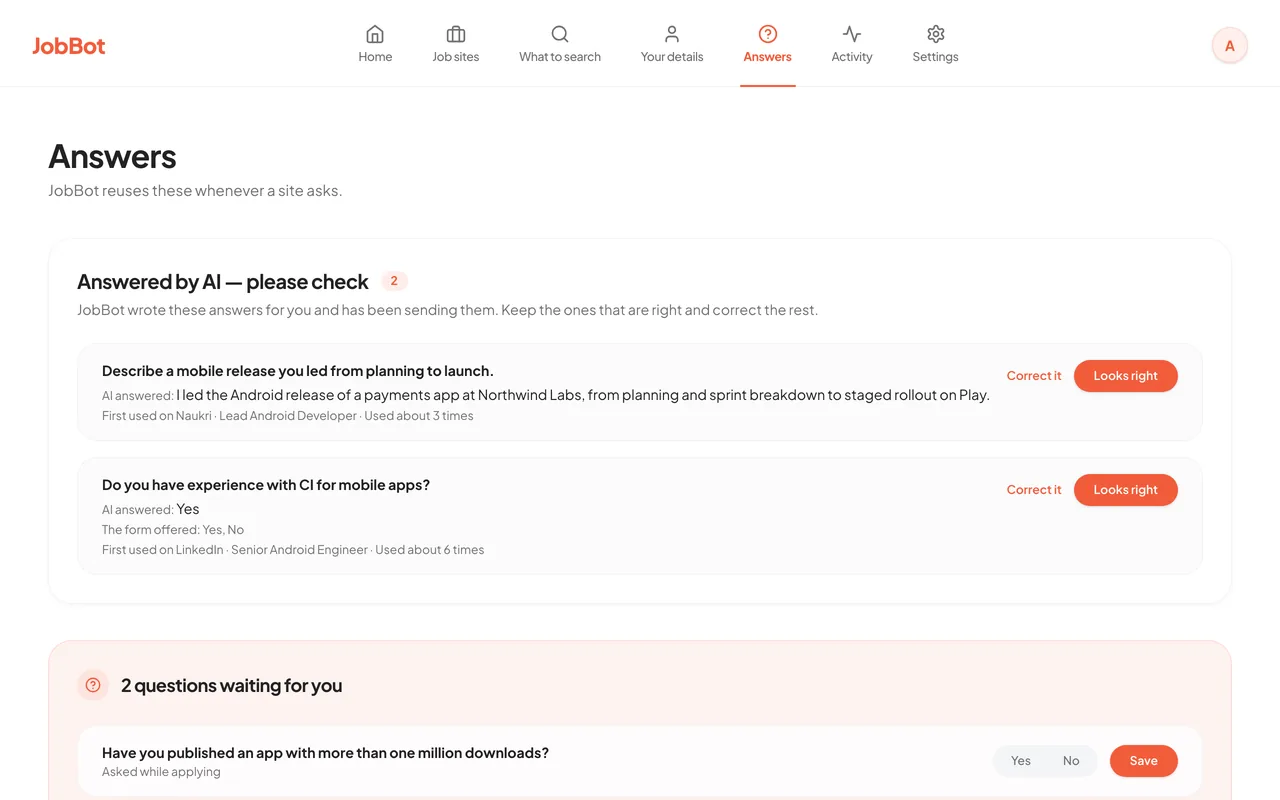
- Saved answers. On the Answers screen, type the question a site asks, the choices if it has any, and your answer. JobBot reuses it whenever a site asks, and it comes before your details.
- Questions it could not answer. When a form asks something that a detail you left empty would answer, or something with no saved answer, JobBot skips that job and lists the question under questions waiting for you. Answer it once and the next run uses it.
- Answers written by AI. If you switch AI on, its answers are listed for you to keep or correct. A question about a detail you left empty is never sent to the AI.
- PAN numbers. JobBot never types a PAN. Jobs that ask for one are skipped.
Read this before a real runA real run does not start until your name, email and phone are filled in on Your details. Use "Preview without applying" first and read the Activity screen to see what JobBot would have answered.
Common questions
What does CTC in LPA mean on Naukri?
CTC is your yearly pay, and LPA means lakhs per annum. A CTC of 7 LPA is 7,00,000 rupees a year.
Should I give my notice period in days or months?
Use the unit the question asks for. If it gives choices, pick the one that fits. If it gives no unit, days is the clearest.
What if I do not know the answer to a screening question?
Do not guess. Skip the job, or find the answer and come back. JobBot does the same: when it has no answer, it skips the job and shows you the question.